
Most content on EKS IPv6 migration is either AWS’s official documentation or a beginner tutorial migrating a single cluster in a sandbox VPC. Neither prepares you for what actually breaks when you migrate 50+ production clusters across 7 AWS regions, with mixed microservices and LLM workloads owned by different teams, on a real timeline with real dependencies. The Kubernetes dual-stack documentation is a good starting point for the concepts — this post is what happens when you take those concepts into production at scale.
This is that missing post. Not the theory of IPv6. Not the AWS-blessed happy path. The specific things that broke on us during a real EKS IPv6 migration at scale, and what we learned about the ones that shouldn’t have surprised us but did.
If you’re planning your own EKS IPv6 migration and searching for a checklist of the non-obvious surprises — save this post. If you’re already mid-migration and something is breaking that shouldn’t be breaking, jump to the section that matches your symptom. And if you’re a senior platform engineer trying to convince your leadership that IPv6 migration is a real 6-month project and not a 6-week one, this post is your evidence.
WHAT THIS EKS IPv6 MIGRATION POST COVERS
- Why we migrated — the four drivers that combined to make IPv6 unavoidable, not just desirable
- The scale — 50+ EKS clusters, 7 regions, microservices + LLM workloads, multi-team ownership
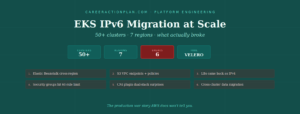
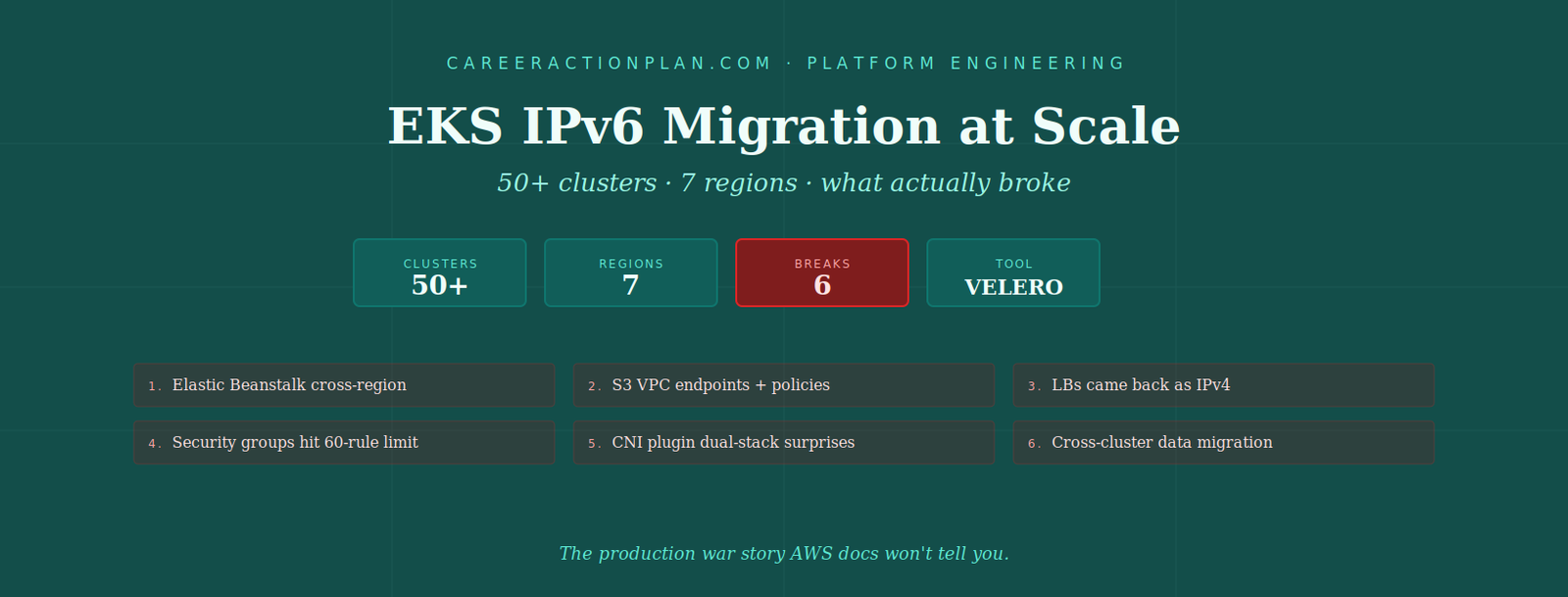
- 6 things that broke — cross-region Elastic Beanstalk, S3 VPC endpoints, load balancer default IPv4 assignment, security group rule explosion, CNI plugin gotchas, cross-cluster data migration
- The Velero approach — full cluster backup and restore for dual-stack migration, and what to watch for
- What I’d do differently — the one thing I’d tackle first if I started this migration tomorrow
This is a longer technical guide — about 20 minutes end-to-end. If you’re pressed for time, skip to the “6 things that broke” section. Each break has the fix immediately below it. The full context is here if you need to justify a longer migration timeline to your leadership.
Why We Ran the EKS IPv6 Migration
A single driver rarely justifies a multi-month platform migration. Ours had four, and each one alone would have been ignorable. Together they made an EKS IPv6 migration unavoidable.
1. Cost — NAT Gateway charges compounding
Every IPv4-only EKS cluster with private nodes pushes egress traffic through NAT Gateways. At our scale — hundreds of nodes per region, chatty microservices, model-serving pulling weights from S3 — NAT Gateway data processing charges were becoming a line item leadership actually noticed. IPv6 traffic doesn’t traverse NAT. That alone changes the unit economics of running EKS at scale.
2. IPv4 address exhaustion — we ran out of room
This is the driver that forced the timeline. We hit the pod-per-node IP address limits on our larger instance types with prefix delegation already enabled. Even with careful subnet planning, we couldn’t allocate enough IPv4 space in our existing VPCs for the next wave of workloads. There were also overlapping CIDR problems from acquired teams whose VPCs conflicted with ours, blocking VPC peering. IPv6 solves both — the address space is effectively unlimited, and overlap is a non-issue. AWS’s official EKS IPv6 documentation covers the addressing model in detail, but glosses over the operational realities we’re about to walk through.
3. Client requirement
One of our major client engagements had an explicit dual-stack requirement in the contract. Not IPv6-only. Dual-stack, so their traffic could reach us either way and future IPv6-native clients wouldn’t need special routing. This turned “IPv6 would be nice” into “IPv6 is a delivery commitment.”
4. Pod-per-node ceiling on larger instance types
Related to point 2 but worth calling out separately. As we scaled up to larger EC2 instances for both microservice density and LLM inference workloads, we kept bumping into the per-ENI IPv4 address ceilings. Prefix delegation extended the runway but didn’t remove the ceiling. IPv6 gave us headroom that would last multiple years of growth, not multiple quarters.
The Scale — What Made This EKS IPv6 Migration Hard
Migrating one cluster is a weekend. Migrating 50+ across 7 AWS regions, owned by different teams, with heterogeneous workloads, on a rolling schedule that can’t take everything down — that’s a completely different problem class.
What the environment looked like
- 50+ EKS clusters across 7 AWS regions
- Mostly microservices workloads, mesh-connected, chatty east-west traffic
- LLM inference workloads on separate clusters with dedicated GPU node groups
- Multiple team ownership — no single team owned all clusters; migration coordination across teams was its own project
- Mixed application maturity — some services were cloud-native and IPv6-ready; others had hardcoded IPv4 assumptions from legacy code
The multi-team dimension deserves emphasis. When you own all the clusters, you set the migration schedule. When ten teams own different clusters, you’re negotiating a schedule with ten teams simultaneously, and the slowest team’s timeline is your timeline. This is the aspect of an EKS IPv6 migration that most technical writeups undercount, and it’s what turns a technical project into a program-management project.
The 6 Things That Broke During Our EKS IPv6 Migration
Every one of these was a specific incident that ate at least a day of engineering time. Some ate weeks. The pattern I want you to notice as you read: the failures were not in IPv6 itself. IPv6 worked. The failures were in the ecosystem around IPv6 — the AWS services, controllers, and application assumptions that hadn’t caught up to dual-stack behavior.
Elastic Beanstalk — no cross-region dual-stack support
We had legacy applications on Elastic Beanstalk that worked cleanly within a single region. When we needed to migrate a few of those workloads cross-region as part of the broader IPv6 migration, Elastic Beanstalk’s dual-stack model didn’t cross regions cleanly — the environment configuration assumed single-region networking, and cross-region routing broke in ways that took time to isolate.
We ended up designing a dual-stack architecture separately for the migrated workloads, effectively working around Elastic Beanstalk’s regional assumptions rather than through them. If your migration involves Elastic Beanstalk workloads that need to move across regions, budget significantly more time for that specific slice than for equivalent EKS-native workloads.
S3 VPC Endpoints — couldn’t configure, needed workarounds
Our S3 access patterns went through VPC endpoints for security, cost, and performance reasons. When we tried to configure S3 VPC endpoints for dual-stack, we ran into configuration limitations that required rewrites and workarounds in the S3 bucket policies themselves.
The specific pain: bucket policies that had been written with IPv4 aws:SourceIp conditions needed to be extended (or rewritten) to handle IPv6 source addresses. And VPC endpoint policy interactions with the bucket policies didn’t behave the way the documentation suggested they would. This wasn’t a code fix — it was a policy-and-configuration rewrite exercise across many buckets.
Load Balancers came back as IPv4 — even after a “successful” migration
This is the most surprising failure of the entire EKS IPv6 migration, and it’s the one I’ve never seen written about. Here’s what happened:
After a cluster migration completed successfully — dual-stack cluster running, workloads restored, health checks green — we observed that Application Load Balancers were coming back with IPv4-only target groups, not dual-stack. The cluster was IPv6-enabled. The pods had IPv6 addresses. But the LBs quietly defaulted to IPv4.
The root cause: when Kubernetes recreates resources during the restore, controllers create resources in a specific order. The LoadBalancer resources were being created before the network configuration had fully propagated to a dual-stack state. AWS Load Balancer Controller was seeing an IPv4-only network context at creation time and provisioning accordingly. By the time the network was fully dual-stack, the LBs had already been created with IPv4 targets.
Once we spotted the pattern, the fix was mechanical but non-obvious: we started parsing the LoadBalancer YAML during the restore process to delay the creation of network-facing resources until the dual-stack context was confirmed. Once the network was in the correct state, we let LB creation proceed — and they came up as IPv6-capable as expected.
Security Group rule explosion — hitting the 60-rule limit
AWS Security Groups have a default limit of 60 inbound rules and 60 outbound rules per SG (with a soft limit that can be raised, but with implications). In an IPv4-only world, most of our SGs stayed comfortably under this ceiling.
The moment we went dual-stack, every existing IPv4 rule effectively needed an IPv6 counterpart — the same allow-list logic, but expressed with IPv6 CIDRs. Overnight, our rule counts doubled. Several of our production SGs hit the 60-rule ceiling and could not accept new rules, which meant new applications couldn’t be onboarded until we reorganized.
This isn’t just an operational annoyance. It changes how you have to design your security group topology. The pattern of “one SG per application with explicit CIDR rules for each source” that worked in IPv4 becomes unsustainable in dual-stack unless you consolidate aggressively.
CNI plugin issues — dual-stack behavior wasn’t what docs suggested
AWS VPC CNI in dual-stack mode has behaviors that aren’t obvious from the documentation alone. Pods didn’t always get both IPv4 and IPv6 addresses the way we expected. Prefix delegation interactions with dual-stack had edge cases. Some pods came up with only IPv6, some with only IPv4, some with both — and the pattern wasn’t deterministic on first cluster startup.
We ended up doing careful version pinning of the VPC CNI, explicit configuration of the dual-stack behavior via environment variables, and extensive testing in a staging cluster before applying changes to production. Each cluster in the fleet needed the same CNI configuration applied consistently, which became its own configuration management problem.
Cross-cluster data migration — the hardest part
Application state was the single hardest challenge of the entire EKS IPv6 migration. Stateless workloads move easily — Velero backs them up on the old cluster and restores them on the new. Stateful workloads with persistent volumes, replicated data, or cross-cluster synchronization dependencies are a different problem entirely.
Data that had been replicating cross-cluster within an IPv4-only world had to be re-established in the dual-stack world. Storage snapshots had to be handled carefully — some snapshot mechanisms behaved differently in dual-stack. Application-level replication (databases, message queues, caches) sometimes broke temporarily during the network transition and had to be re-synchronized manually.
This is the part I most under-budgeted for going in, and the part I would tackle first if I were starting the migration today.
Our EKS IPv6 Migration Approach — Velero + Dual-Stack Upgrade
For the cluster migration itself, we standardized on Velero for full-cluster backup and restore. The pattern was:
- Backup the source (IPv4-only) cluster using Velero, including cluster resources, persistent volume snapshots (where applicable), and cluster configurations
- Provision a new dual-stack EKS cluster in the target VPC (which was itself already dual-stack-ready)
- Restore into the new cluster using Velero, with the ordering carefully controlled to handle the LoadBalancer issue described in Break 3
- Cut over traffic once the restored cluster was verified healthy
- Decommission the old cluster once we were confident the new one was stable
Velero handled the mechanics of the backup and restore well. Where it needed help was in the ordering and post-restore verification — Velero doesn’t know that your LoadBalancers need to wait for dual-stack to be confirmed, or that your CNI configuration needs to be validated per-cluster. That verification and phase-management sat on top of Velero as our own tooling and runbooks.
Blue-green vs in-place
We effectively ran a blue-green pattern per cluster — new IPv6 cluster provisioned alongside the old IPv4 cluster, workloads restored to the new one, traffic cut over, old cluster decommissioned. We did not attempt in-place dual-stack upgrades of existing clusters. In-place dual-stack conversion is technically possible for some scenarios but carries much higher risk when you have workloads with hardcoded network assumptions. Blue-green gave us a clean rollback path — if the new cluster wasn’t healthy, we simply didn’t cut over traffic.
LLM workloads on separate infrastructure
Our LLM inference workloads ran on separate clusters with dedicated GPU node groups. We migrated those on a different schedule from the microservices clusters, both because the workload characteristics were different (fewer, larger pods vs many small pods) and because the coordination overhead with the ML teams was different from the microservices teams. Treating LLM workloads as their own migration track — rather than trying to force them into the same schedule as microservices — significantly reduced the coordination friction.
My Story — What I Learned Doing This EKS IPv6 Migration
Going into the EKS IPv6 migration, I designed the dual-stack architecture and thought the hardest part would be the network design itself. IPv6 addressing, routing, subnet planning — that’s the part I over-prepared for.
The network design was the easy part. What actually cost us weeks was everything around the network — the S3 bucket policies that had to be rewritten, the load balancers that came back IPv4 even after a successful cluster migration, the security group rule counts that exploded overnight, the CNI behaviors that didn’t match documentation, and above all the data migration challenges that I had assumed would follow the well-documented Velero path.
The specific moment I remember most sharply was the first time we saw a “successful” cluster restore, opened the console, and found the load balancers sitting there with IPv4 targets. Everything looked right. The pods had IPv6 addresses. The network was dual-stack. The migration had been declared complete. And yet the LBs quietly defaulted to IPv4 because of a resource creation ordering problem we hadn’t anticipated. That was the moment I understood that in a large-scale EKS IPv6 migration, verification isn’t a final step — it’s the actual work. The migration itself is easy. Confirming that every downstream resource actually ended up in the state you intended is where the engineering lives.
If I were starting this migration today, I would begin with the data migration challenges first — not the network design, not the cluster provisioning. Data is where the weeks disappear. Everything else is at most a few days of firefighting once you have the pattern established. Design your data path first, prove it with a small pilot, then let the rest of the migration schedule flow from data readiness.
The full multi-cluster migration platform we ended up building around this is worth its own post — a self-service UI where a user can select a region, pick clusters to migrate, choose the namespaces to include, hit Migrate, and watch live progress in the same tab, with a migration history view and per-migration drill-down. That’s the platform engineering work that made the migration repeatable and reduced coordination overhead across teams. I’ll write about that separately.
This Discussion Is Open — What Did You Hit?
This post is one team’s experience of an EKS IPv6 migration at scale. It is not the complete map. Every environment has its own combination of managed services, controllers, application assumptions, and organizational constraints — which means every migration surfaces its own specific breaks that mine didn’t.
If you’ve done an EKS IPv6 migration of your own, I want to hear from you.
What broke on you that isn’t on my list of six? Certificate manager quirks in dual-stack? Ingress controller behavior at cutover? External-DNS reconciliation gaps? Service mesh (Istio, Linkerd) dual-stack edge cases? Prometheus scraping over IPv6? A specific third-party controller that assumed IPv4? Egress traffic to legacy IPv4-only vendors? Something in your CI/CD pipeline that didn’t understand dual-stack contexts?
How did you fix it? The fix is often the more valuable half of the story. If you spent two weeks debugging something and eventually found the root cause, sharing it here saves the next engineer two weeks. That’s the compounding value of writing about production migrations honestly.
Drop a comment on the post or DM me on LinkedIn. If enough migration stories come in, I’ll compile the community additions into a follow-up post — with credit to the engineers who contributed. The public internet has too little honest writing about what actually breaks during large-scale EKS IPv6 migrations, and the fastest way to fix that is to pool what we’ve each learned.
Rooting for anyone in the middle of one of these right now. It gets easier once you have the pattern.
A Word Directly to You
If you’re planning an EKS IPv6 migration for your own organization, here’s the honest short version of everything above.
One: Start with data migration planning, not network design. The stateless workloads will follow the Velero path. The stateful ones are where the multi-week fires live. Prove your data migration pattern on a small pilot before you commit to a fleet-wide schedule.
Two: Audit your S3 bucket policies and security group rule counts before the migration, not during it. Both will need refactoring in dual-stack, and doing that refactoring under migration pressure is significantly harder than doing it calmly beforehand.
Three: Do not trust “cluster migration successful” as the end state. Verify that load balancers, ingress controllers, CNI configuration, and downstream network resources actually came up in the state you intended. In dual-stack, silent defaults to IPv4 are the failure mode you’ll miss.
Four: Treat managed AWS services with skepticism in dual-stack mode. Elastic Beanstalk cross-region, S3 VPC endpoints, and other managed services have edge cases that aren’t in the docs. Test each one against your specific usage pattern before you assume it works.
Five: If you have LLM workloads or other GPU-heavy compute, migrate them on a separate track from microservices. The coordination overhead and workload characteristics are different enough to warrant different timelines and playbooks.
Six months. Not six weeks. Budget accordingly, and the EKS IPv6 migration is a manageable project. Rush it, and the failures I described above become production incidents instead of controlled discoveries.
— Arvind
Quick Reference — The EKS IPv6 Migration Playbook
Why We Migrated
NAT Gateway cost + IPv4 exhaustion + pod-per-node ceiling + contractual dual-stack requirement. Four drivers, not one.
Scale That Made It Hard
- 50+ EKS clusters, 7 AWS regions
- Microservices + LLM workloads (on separate clusters)
- Multiple team ownership → program-management problem, not just technical
6 Things That Broke
- Elastic Beanstalk — no clean cross-region dual-stack; work around it
- S3 VPC endpoints — bucket policy rewrites required for IPv6 source addresses
- Load balancers defaulted to IPv4 after successful migration — resource creation ordering problem
- Security groups hit 60-rule limit — dual-stack effectively doubles rule counts
- CNI plugin — dual-stack pod addressing wasn’t deterministic; pin version, test explicitly
- Cross-cluster data migration — the hardest part; start planning here
Migration Approach
Velero for full cluster backup and restore. Blue-green pattern (new IPv6 cluster alongside old, cut over traffic, decommission old). LLM workloads on separate migration track.
If Starting Today
Start with data migration planning. Design the data path first, prove on pilot, let migration schedule flow from data readiness. Everything else is manageable once data is solved.